Main
🏠 Home ℹ️ About Us
WhatsApp
💬 WhatsApp Business API (WABA) 🔐 OTP & TAC via WhatsApp 🤖 WhatsApp + AI Chatbot 🔵 Blue Tick Verification
SMS
📱 One-Way Bulk SMS 🔒 Two-Factor Authentication (2FA) 🌏 Global SMS Coverage ⚡ SMS API
Email & API
✉️ Email Service Overview 🔌 Email SMTP API 🛠 REST API Reference
Queue System
🏢 Queue System Overview 💬 WhatsApp QMS ☁️ Cloud QMS ⚡ Cloud + WhatsApp QMS 📖 Cloud & WhatsApp QMS Guide 🎯 Request Free Demo
Pricing
💰 Full SGD Rate List 🛒 Buy SMS Credits
Support
📩 Contact Us ❓ FAQ 📖 End-User Guide ⚠️ Service Advisory
📝 Register Free
HomeEnd User GuideSMS Scheduler

📖 Bulk SMS End User Guide

SMS Scheduler Overview

SMS Scheduler Overview

The iSMS SMS Scheduler lets you compose your message now and have it delivered automatically at a specific date and time. Access it via SMS → Compose SMS → Send Later.

iSMS SMS Scheduler
  1. Send To — enter destination numbers separated by semicolons
    e.g. 60195002166;60164502380
  2. Message Body — type your SMS message
  3. Click "Send Now" to send immediately, or click "Send Later" to set a scheduled date and time
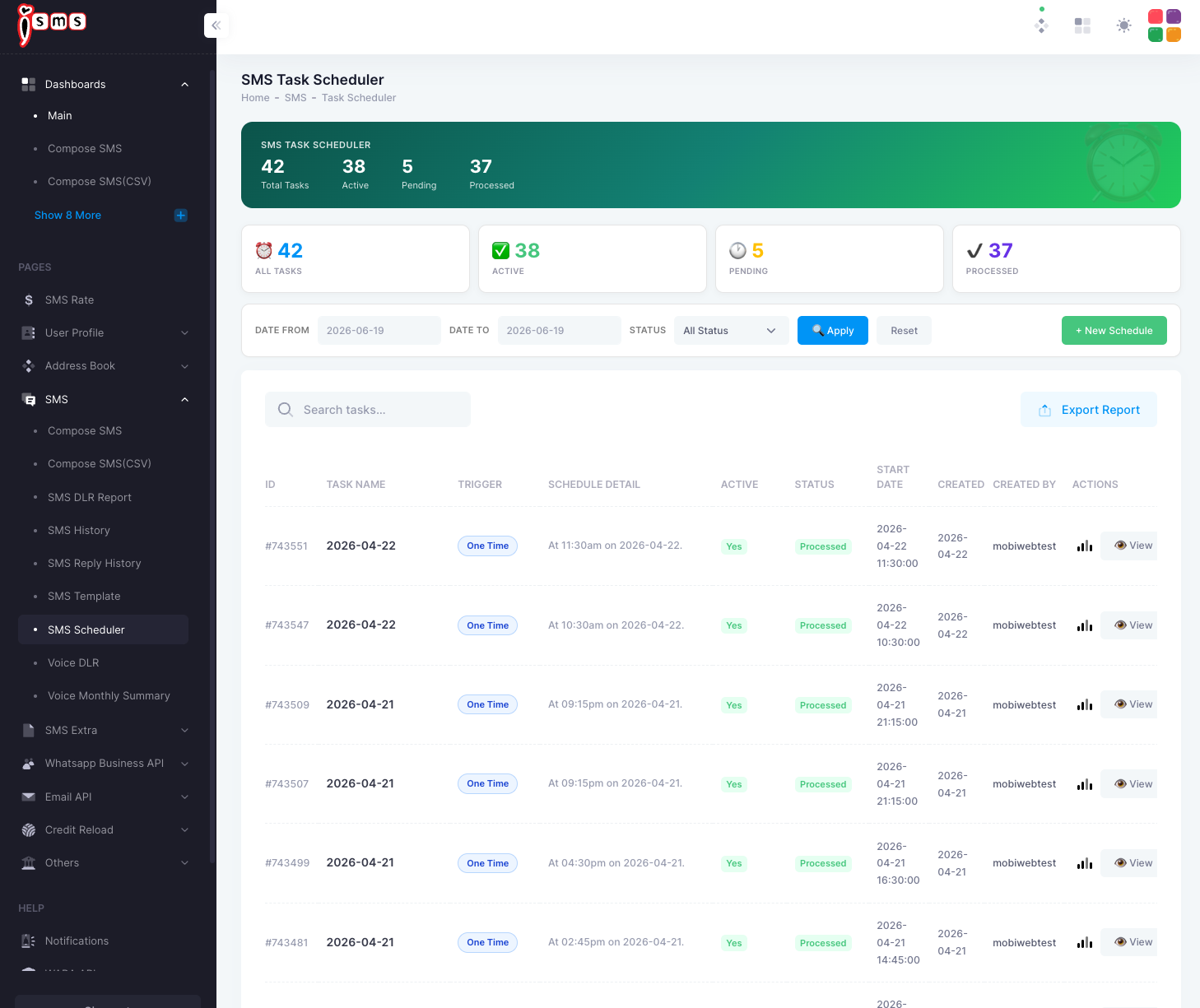
💡 Tip: Scheduled tasks can be viewed and managed in SMS → Task Scheduler. You can edit or cancel a scheduled send before the delivery time.

Next: SMS Scheduler — One Time / Daily Settings →

📞 Need Help? Email: sales@mobiweb.com.my (include your username)  |  Toll Free: +6016 450 2380  |  KL: +6016 450 2380
Bulk SMS End User Guide
📄 End User Guide
FREE Download (PDF)
Guide Details Download: Free
Version: 1.2
Size: 2.65 MB
Language: English
Requires: PDF Viewer
© 2026 Bulk SMS Singapore · Powered by iSMS Malaysia · MobiWeb Sdn Bhd
Related Guides
→ New User Registration → Member Page Guide → Compose SMS → CSV Compose SMS → Create CSV in Excel → Create CSV in OpenOffice → Export CSV (Mac OS) → Export CSV (Windows) → Export Gmail Contacts → Compose CSV File → Fix E+11 Number Format → Generate SMS Report → Full End User Guide
💬