Main
🏠 Home ℹ️ About Us
WhatsApp
💬 WhatsApp Business API (WABA) 🔐 OTP & TAC via WhatsApp 🤖 WhatsApp + AI Chatbot 🔵 Blue Tick Verification
SMS
📱 One-Way Bulk SMS 🔒 Two-Factor Authentication (2FA) 🌏 Global SMS Coverage ⚡ SMS API
Email & API
✉️ Email Service Overview 🔌 Email SMTP API 🛠 REST API Reference
Queue System
🏢 Queue System Overview 💬 WhatsApp QMS ☁️ Cloud QMS ⚡ Cloud + WhatsApp QMS 📖 Cloud & WhatsApp QMS Guide 🎯 Request Free Demo
Pricing
💰 Full SGD Rate List 🛒 Buy SMS Credits
Support
📩 Contact Us ❓ FAQ 📖 End-User Guide ⚠️ Service Advisory
📝 Register Free
HomeEnd User GuideSMS Delivery Details Report

📖 Bulk SMS End User Guide

SMS Delivery Details Report

SMS Delivery Details Report

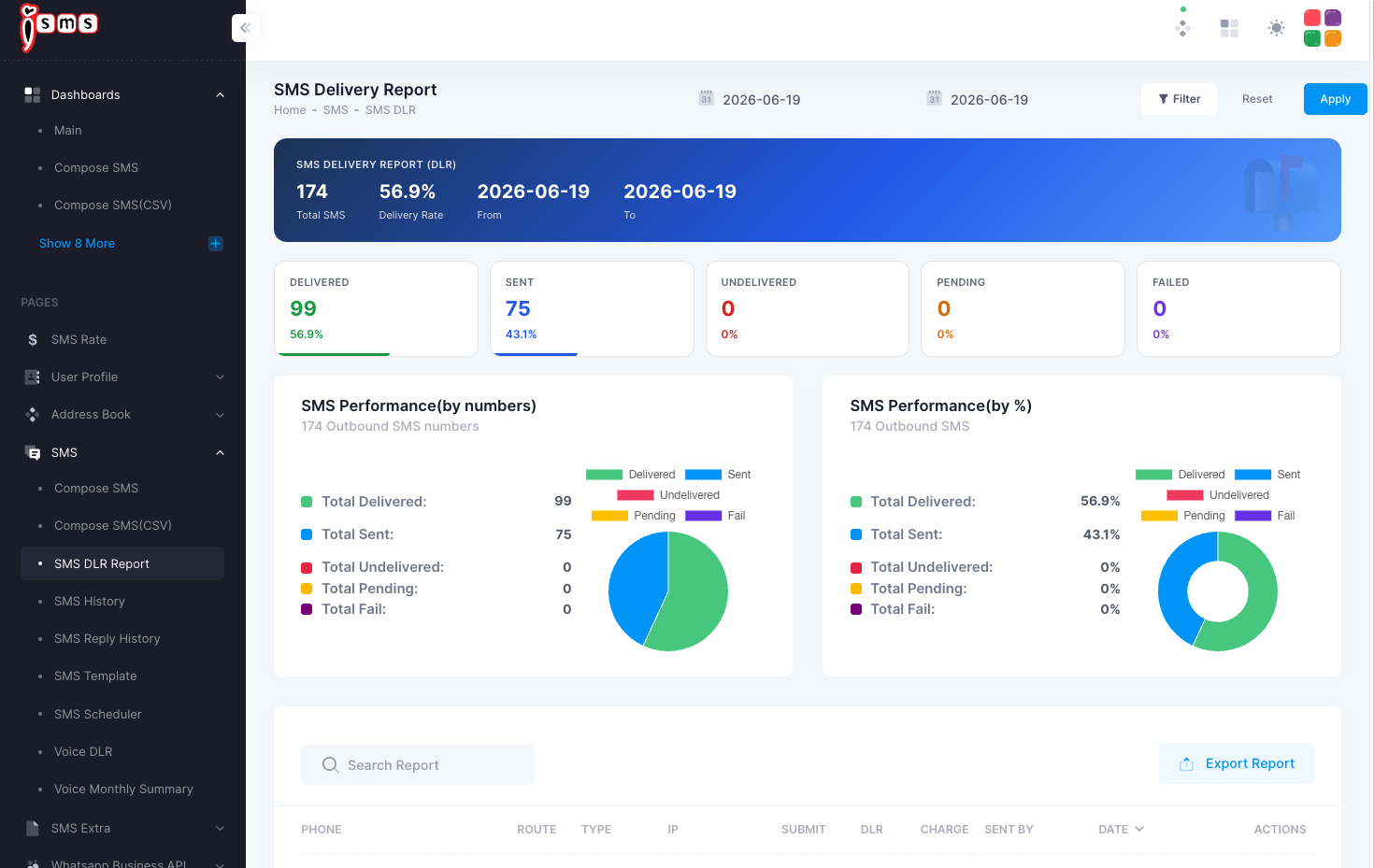
The SMS Delivery Details Report shows the delivery status of each individual SMS sent. Access it from SMS → SMS History → Details. There are five possible statuses:

📤 SENT

  • Your message has been submitted to the carrier's SMSC (Short Message Service Centre) and is awaiting delivery confirmation.
  • The message may already be delivered, but the carrier SMSC failed to return a delivery status.
SMS Status: Sent

✅ DELIVERED

  • Your message has been delivered to the destination mobile number and acknowledged by the carrier SMSC.
📋 Malaysia DLR note: DELIVERED status confirms receipt at the Telco SMSC — not necessarily delivery to the recipient's physical handset. Handset-level DLR is not provided by Malaysian operators by default.
SMS Status: Delivered

❌ UNDELIVERED

  • The message validity period expired — the destination phone was switched off or out of coverage and the SMSC exhausted all retry attempts.
  • The message could not be delivered due to an inactive, unidentified, or untraceable destination number, or because the handset's inbox was full.
SMS Status: Undelivered

⏳ PENDING

  • The iSMS server has accepted your message and it is queued for submission to the carrier network operator. It has not yet been sent to the SMSC.
SMS Status: Pending

⛔ FAIL

  • The message was rejected at the carrier's SMSC — this occurs when the destination network is unavailable or blocked to the carrier.
  • Failed SMS are not charged.
📞 Need Help? Email: sales@mobiweb.com.my (include your username)  |  Toll Free: +6016 450 2380  |  KL: +6016 450 2380
Bulk SMS End User Guide
📄 End User Guide
FREE Download (PDF)
Guide Details Download: Free
Version: 1.2
Size: 2.65 MB
Language: English
Requires: PDF Viewer
© 2026 Bulk SMS Singapore · Powered by iSMS Malaysia · MobiWeb Sdn Bhd
Related Guides
→ New User Registration → Member Page Guide → Compose SMS → CSV Compose SMS → Create CSV in Excel → Create CSV in OpenOffice → Export CSV (Mac OS) → Export CSV (Windows) → Export Gmail Contacts → Compose CSV File → Fix E+11 Number Format → Generate SMS Report → Full End User Guide
💬