Chapter 18 · Part 2
Scheduler: One Time & Daily
When you set up a schedule (via Send Later or + New Schedule), you configure the trigger. Choose a single one-time send, or a recurring daily send that repeats automatically.
One-time or recurring daily
The Timer setting decides how often the task runs. Pick whichever matches your message.
One Time
Sends once, at the exact date and time you set. Best for a single announcement, an event reminder, or a one-off blast.
Daily (recurring)
Repeats every day at the same time until you disable it. Ideal for daily reminders, alerts, or repeating campaigns.
Setting up the trigger
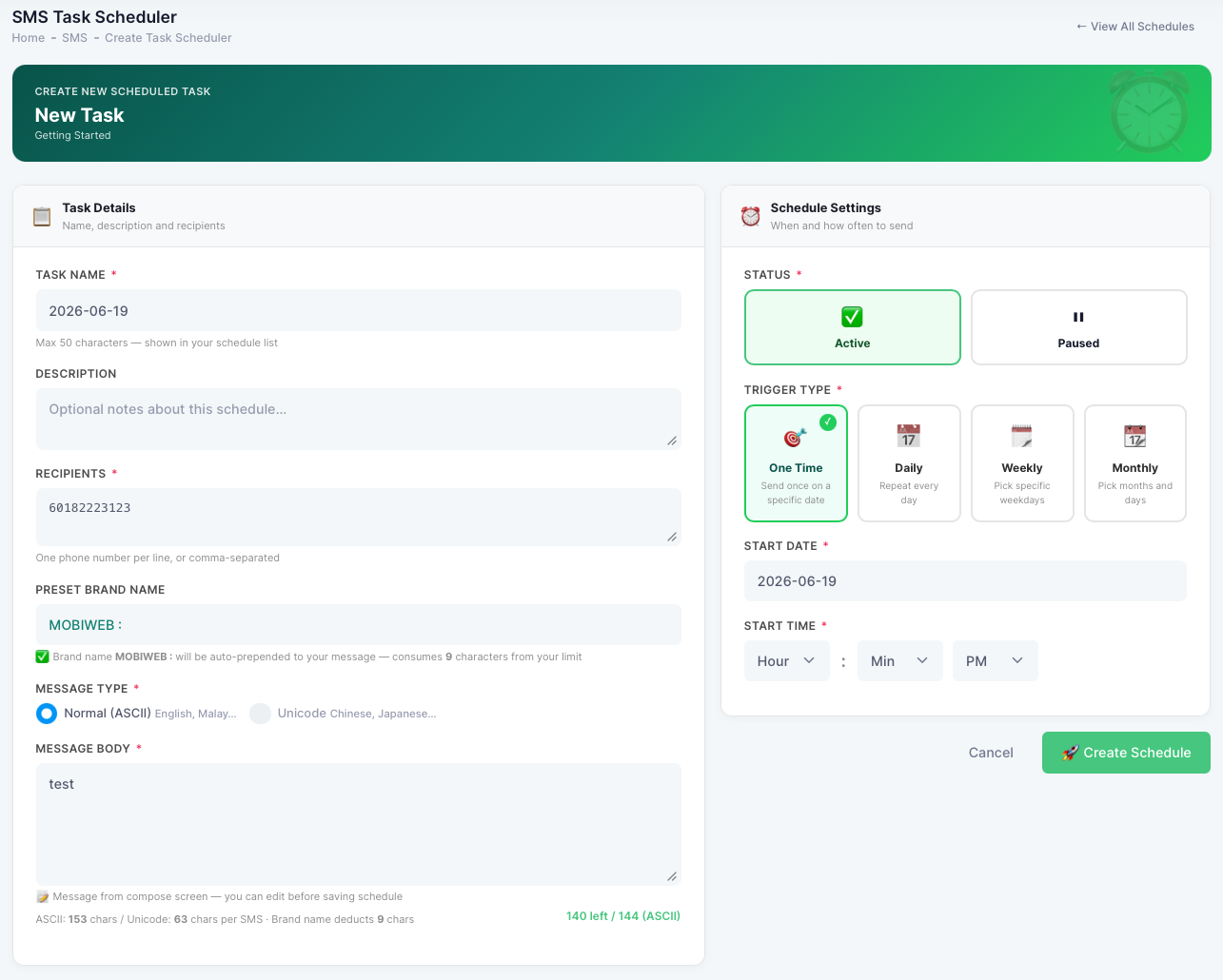
From SMS → SMS Scheduler → + New Schedule (or after clicking Send Later), fill in the task:
- 1
Recipient
Enter the destination number(s) to send to.
- 2
Message Type
Normal (ASCII, up to 153 characters) by default, or Unicode (up to 63 characters) for Chinese, Japanese, and other scripts.
- 3
Message Body
Type the SMS content that will be sent.
- 4
Task Name & Description
Give the task a clear name so it’s easy to find later, and an optional description for notes or remarks.
- 5
Start Date & Time
Set when the task should first run.
- 6
Timer
Choose One Time or Daily, as described above.
- 7
Create Trigger
Click Create Trigger to save and activate the schedule. It then appears in your Task Scheduler.